Everything you need to turn visitors into leads.
No seat fees. No per-conversation AI charges. Flat monthly plans for a front desk that answers at any hour.
7 days free on Starter · Cancel anytime
What’s included
Six pieces, one simple workflow.
From the first question to your follow-up. Full analytics are on Pro and Premium.
01
AI answers from your knowledge
Add your FAQs, services, hours, policies, and pricing once. The assistant uses them to answer visitor questions in seconds, at any hour.
02
Lead capture built in
When a visitor shows intent, the assistant collects their name, email, phone, and exactly what they need — during the conversation, not in a form they’ll abandon.
03
Email alerts
New lead? You get an email with who they are, what they asked, and a summary of the conversation. The full conversation is saved in your inbox.
04
Lead inbox & scoring
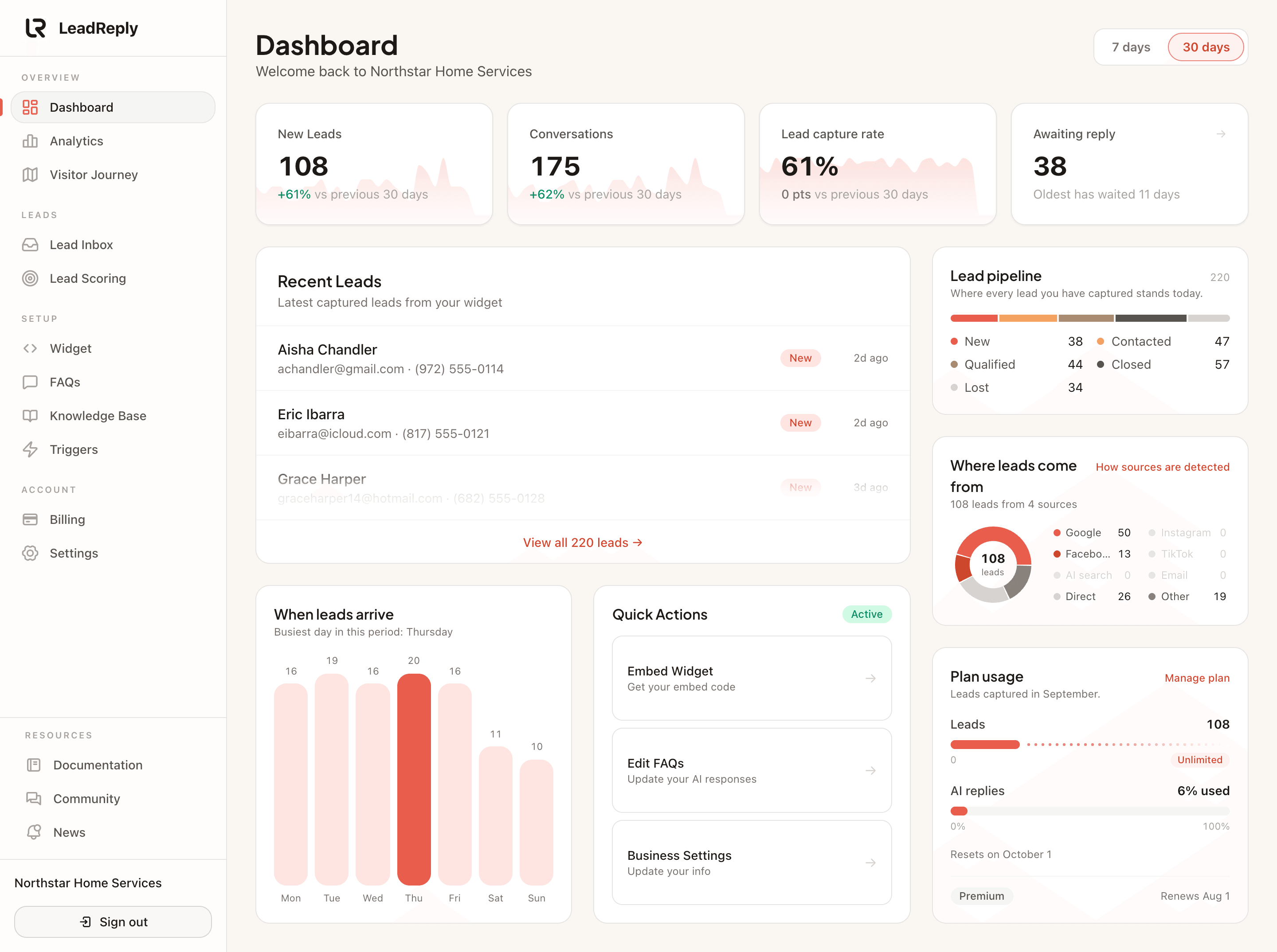
Every conversation lands in a clean inbox, scored by interest level — so you work the hottest opportunities first instead of skimming raw chats.
05
Analytics
On Pro and Premium, see which questions visitors ask, which pages they ask on, where your leads come from, and which leads turn into sales. Starter shows a 7-day overview.
06
Matches your brand
Brand colors, custom greeting, tone of voice — down to full white-label on Premium. Visitors should feel like they’re talking to your team, because effectively they are.
The knowledge
It only says what you’d say.
LeadReply is instructed to answer only from the knowledge you give it: your FAQs, your services, your rules. It is told not to invent prices, availability, or promises. When something falls outside what it knows, it says so and offers to take the visitor’s details so you can answer personally. Like any AI it can still make mistakes, so keep your information current.
In practice
- FAQs, services, hours, and booking links
- Knowledge-base entries for deeper detail
- Unknown questions lead to a follow-up offer instead of a guess
The capture
A conversation, not a contact form.
Forms feel like homework. A helpful chat feels like service. LeadReply weaves lead capture naturally into the conversation — visitors share their details because they want a reply, and you receive complete, qualified context instead of a bare email address.
In practice
- Name, email, phone, and request collected mid-chat
- Full transcript attached to every lead
- Instant email alert with everything you need to follow up
The control
Yours to shape, minute one.
Write the greeting, choose the personality, match your exact brand colors, decide when the widget appears. On Premium, remove our name entirely — it’s your front desk, not ours.
In practice
- Custom greeting, tone, and trigger timing
- Exact brand colors, fonts, and avatar on Pro and above
- White-label option on Premium
Questions
Frequently asked questions
Does the AI make things up?
LeadReply is instructed to answer only from the FAQs and knowledge entries you provide and not to guess. When a question falls outside its knowledge, it says so and offers to take the visitor’s details. No AI is perfect, so review conversations in your inbox and keep your FAQs up to date.
What do I need to set up?
Your FAQs and basic business info (services, hours, booking link), then paste one script snippet on your site. No coding is needed.
Where does LeadReply work?
Anywhere you can paste HTML or JavaScript: WordPress, Shopify, Wix, Squarespace, Webflow, Framer, or any custom site.
Can I try it before paying?
Yes — Starter includes a 7-day free trial. Cancel before day 7 and you pay nothing.
Turn your next visitor into a lead.
Put a real assistant on your website before the next visitor leaves.
Invite-only Premium test · Free for approved businesses · Daily feedback required