Answer visitors before your competitors do.
LeadReply turns website questions into useful answers and qualified leads — automatically, at any hour, in your own brand voice.
- 7-day free trial
- Cancel anytime
- One snippet to install
Works with


Questions don't keep business hours.
People browse after work, on weekends, and between jobs. When nobody answers, they don't wait until morning. They open the next tab.
An example day of website questions
- Response time
- Without an answer:Next morning, if someone checks the inbox.
- With LeadReply:A few seconds, day or night.
- What the visitor gets
- Without an answer:Silence, so they ask a competitor instead.
- With LeadReply:A real answer from your FAQs, prices, and booking link.
- What you get
- Without an answer:Nothing. You never learn they visited.
- With LeadReply:Name, contact details, what they need, and the full conversation.
Inside LeadReply
Everything after the first hello, in one place.
Give visitors an immediate answer, see every lead arrive, and understand what turns interest into a conversation.
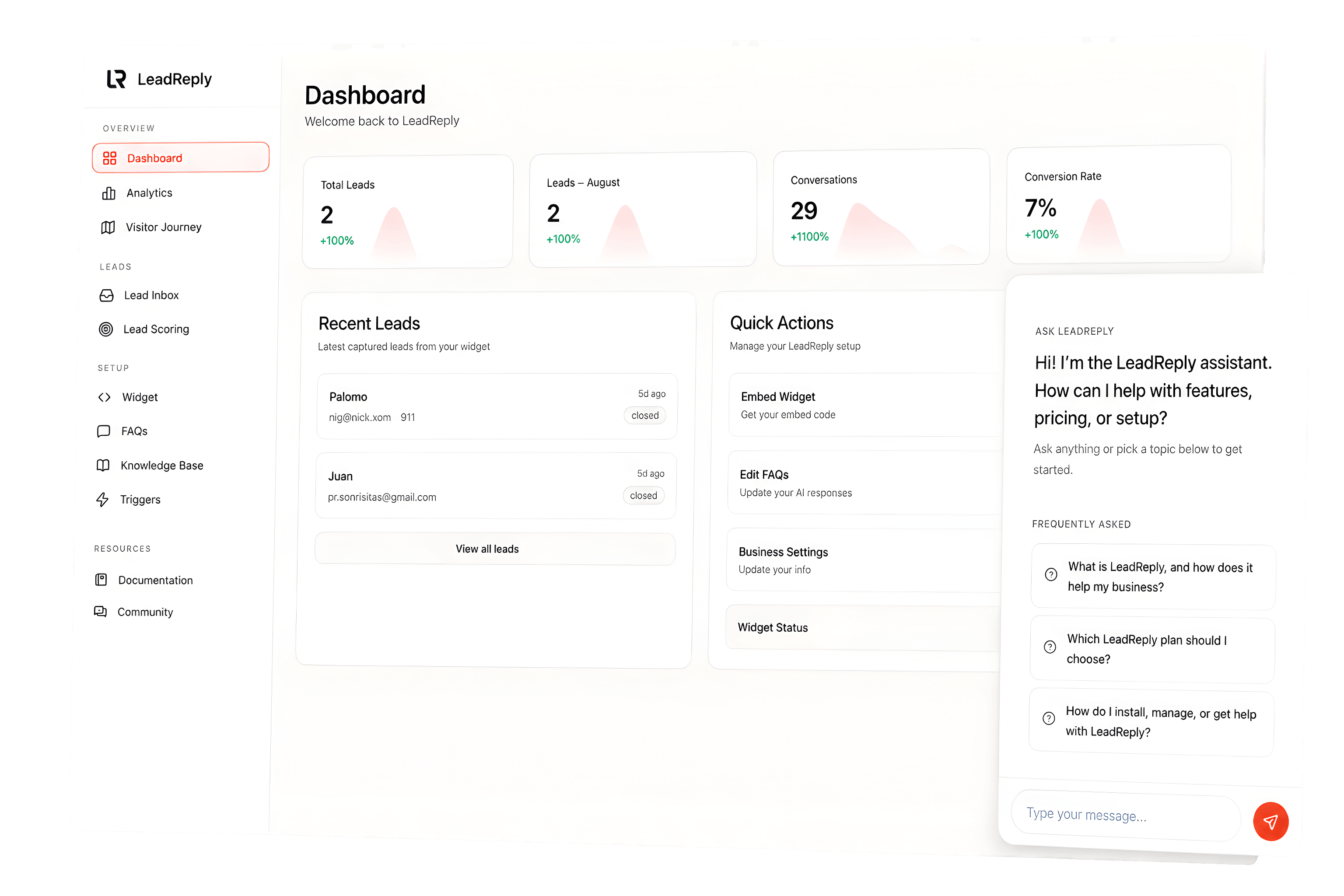
Lead dashboard
Know who is ready for a reply.
Every captured lead arrives with the question, contact details, status, and conversation context your team needs to follow up personally.
Captures leads
Name, email, phone, and what they need — collected naturally during the conversation and emailed to you immediately.
Says when it doesn’t know
The assistant is told to answer only from your information. When a question falls outside it, it says so and offers to take the visitor’s details for you.
Analytics
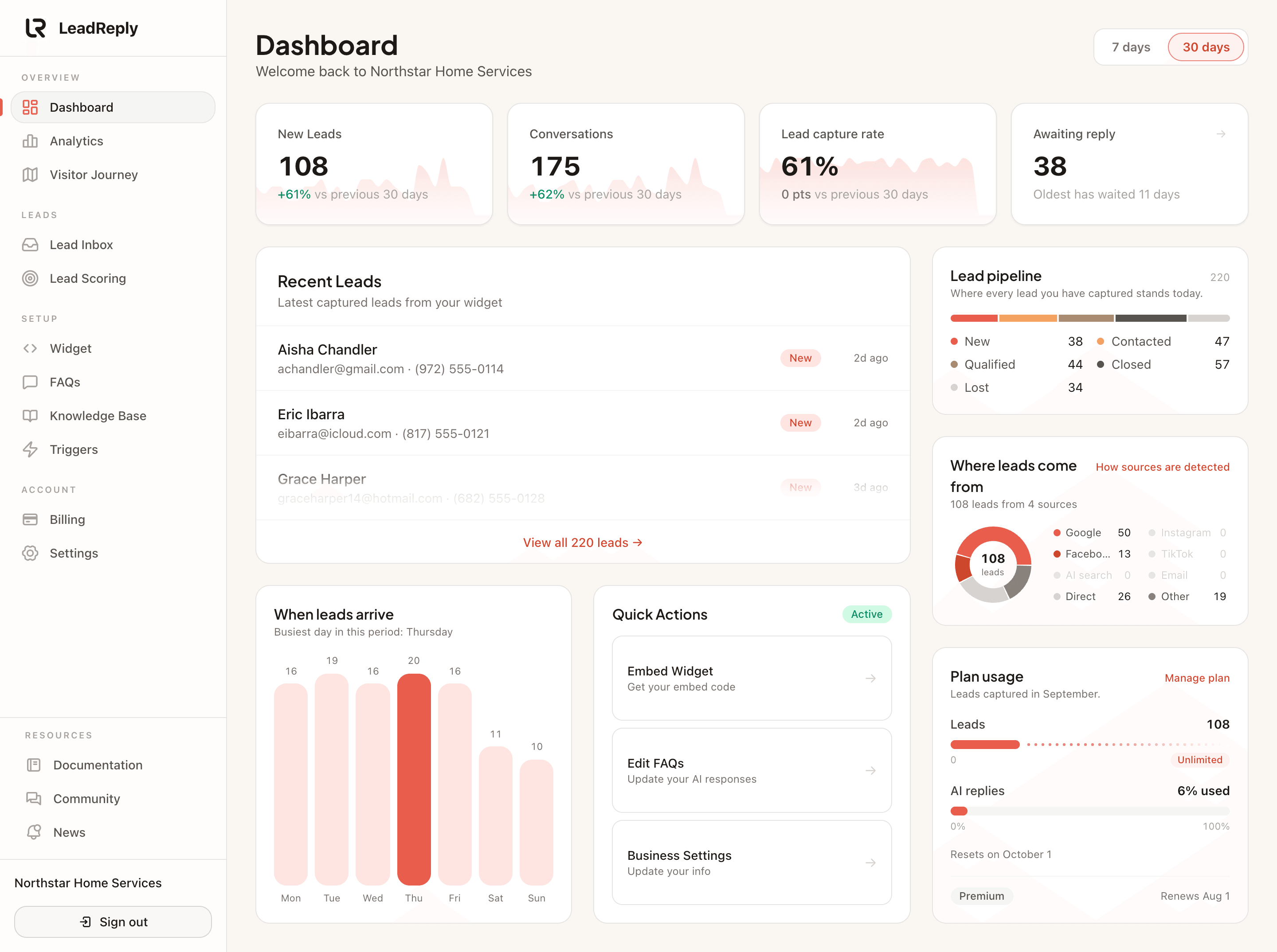
See what your website is really doing.
Track visitors, widget opens, conversations, and leads without piecing together reports from separate tools.
Shows what customers want
On Pro and Premium, analytics show the questions people actually ask, the pages they ask on, and where your leads come from.
One snippet, any site
WordPress, Shopify, Wix, Squarespace, Webflow, Framer, or custom HTML. Paste one line and you’re live.
Premium plan
Grow into more control, not more complexity.
Premium adds white-label branding, three widgets, unlimited leads, and AI answers that use your products, services, and policies.
See all plansPremium
$79 / month
Full white-label widget
3 website widgets
Unlimited monthly leads
No seat or per-conversation fees
How it works
Three steps, no developer.
No flow builder and no developer. If you can copy and paste, you can launch it today.
- 1
Train
Add your FAQs, services, hours, and booking link in the dashboard.
- 2
Style
Match colors, greeting, and tone so it feels like your team.
- 3
Launch
Paste one snippet. Start capturing leads the same day.
What you receive
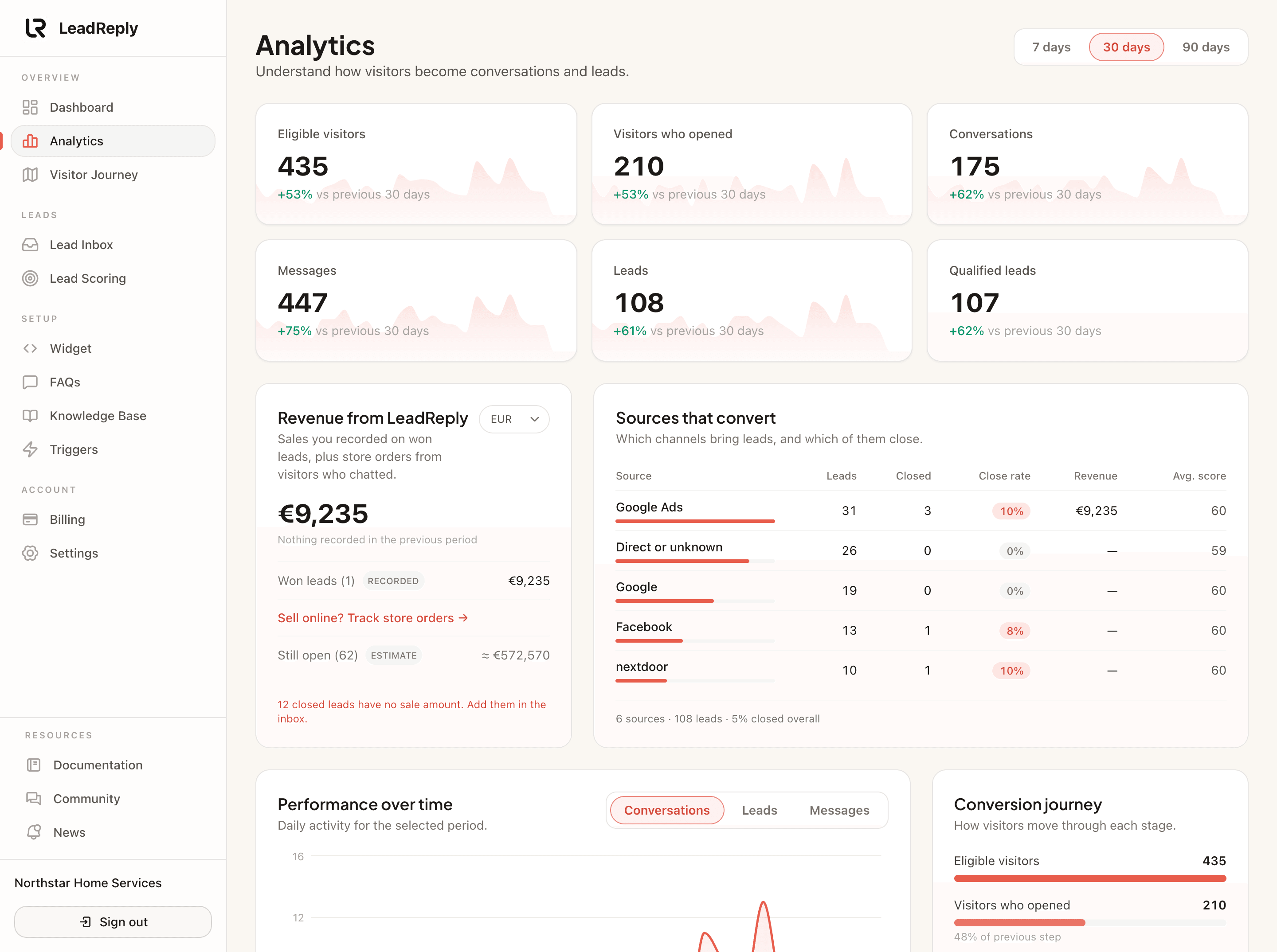
Every lead arrives ready for a reply.
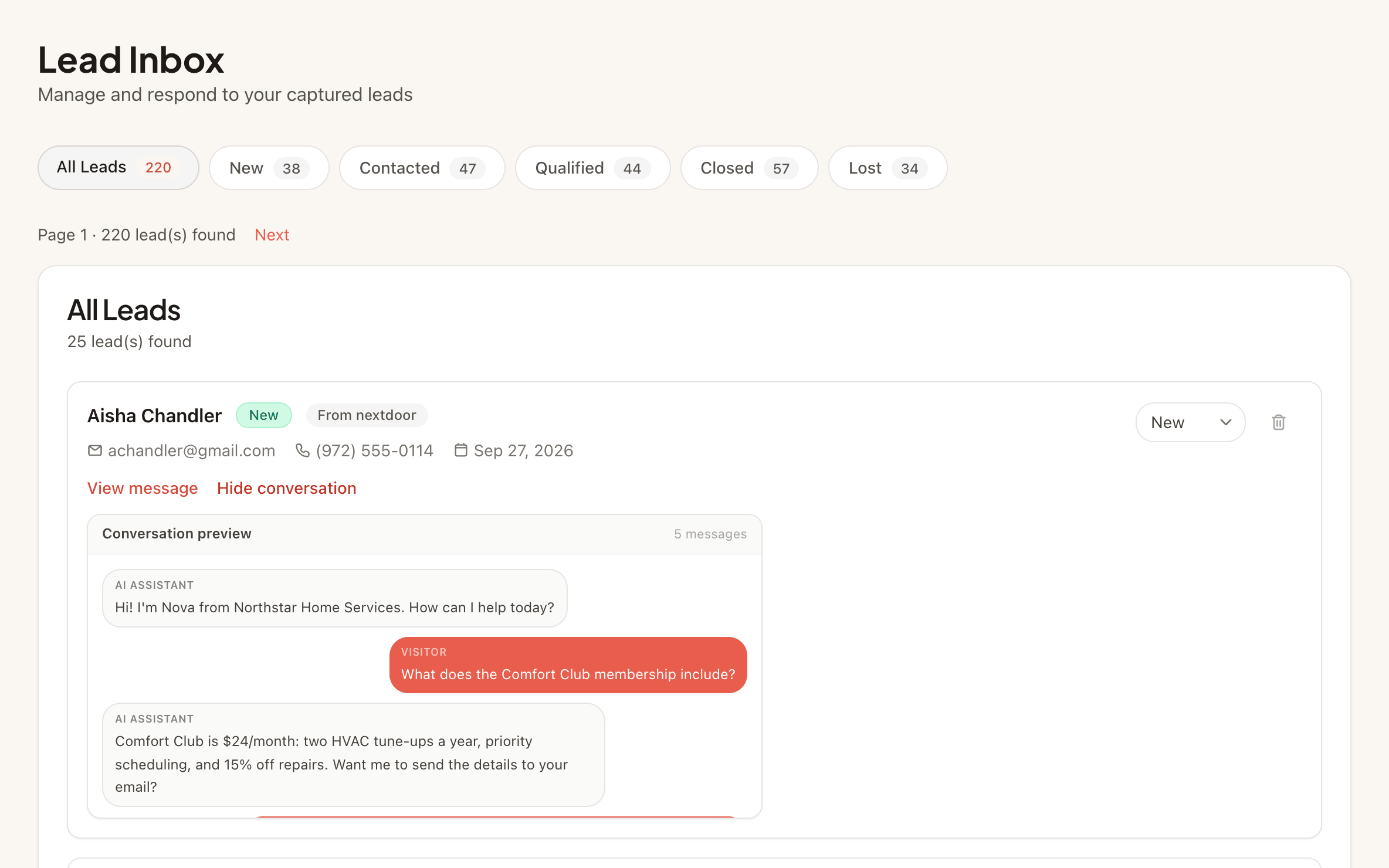
Not a bare email address. Each lead comes with who they are, what they asked, and the whole conversation, so you can follow up personally while they are still interested.
- Email alert the moment a lead arrives
- The conversation saved with every lead
- Status and score in your lead inbox
Customer experience
“A visitor asked about availability after we had closed. LeadReply answered, collected the project details, and the enquiry was waiting for us the next morning.”
Cayetana Pelaez Gutierrez Guerra
Sierra Home Services
Representative customer story based on the LeadReply workflow.
No code
Copy and paste setup
1 snippet
Works across your site
7 days
Free trial on Starter
Doing homework? Good.
See exactly where LeadReply wins, what competitors do better, and who each tool is really for.


What does LeadReply do?
It’s an AI chat widget for your website: answers visitor questions instantly from your FAQs and knowledge, captures contact details when visitors show interest, and emails you every lead.
Will it sound like a robot?
It answers from what you give it (your FAQs, services, hours, and policies) in the tone you set. For the questions you hear most, you write the answer word for word, so those always read the way you’d say them.
Do I need to be online to answer visitors?
No. The widget answers on its own, even when you’re closed. When someone wants a quote, a booking, or a call back, it asks for their contact details, and the lead waits in your inbox with the whole conversation so you can reply when you’re free.
Where do my leads go?
Into the lead inbox in your dashboard, with the visitor’s question, contact details, and the full chat. You also get an email alert for each new lead, so you can follow up while they’re still interested.
See how it worksWhat happens when the AI doesn’t know an answer?
It is instructed not to guess. It says it doesn’t have that information and offers to take the visitor’s details, so you can reply personally. Like any AI it can still make mistakes, so keep your FAQs up to date.
Will it work on my website?
Yes, if you can paste a snippet into your site. Add your FAQs and business details, style the widget, and paste one line of code. There are step-by-step guides for WordPress, Shopify, Wix, Squarespace, Webflow, and Framer.
Installation guidesHow much does it cost?
Starter is $35/month or $348/year; Pro is $49/month or $492/year; Premium is $79/month or $792/year. Every plan includes AI answering and lead capture, with no seats and no per-conversation fees, and Starter starts with a 7-day free trial.
Compare plansCan I cancel anytime?
Yes. Cancel from the Billing page whenever you like. Your plan keeps working until the end of the period you’ve paid for, and your leads stay in your dashboard. If you cancel during the Starter trial, you aren’t charged.
Don't lose another lead.
Put a real assistant on your website before the next visitor leaves.
Invite-only Premium test · Free for approved businesses · Daily feedback required