
Documentation/Plans & billing
Plans & billing
What each plan includes, how the free trial works, and what happens when you change plans. Current prices are always on the pricing page.
The plans at a glance
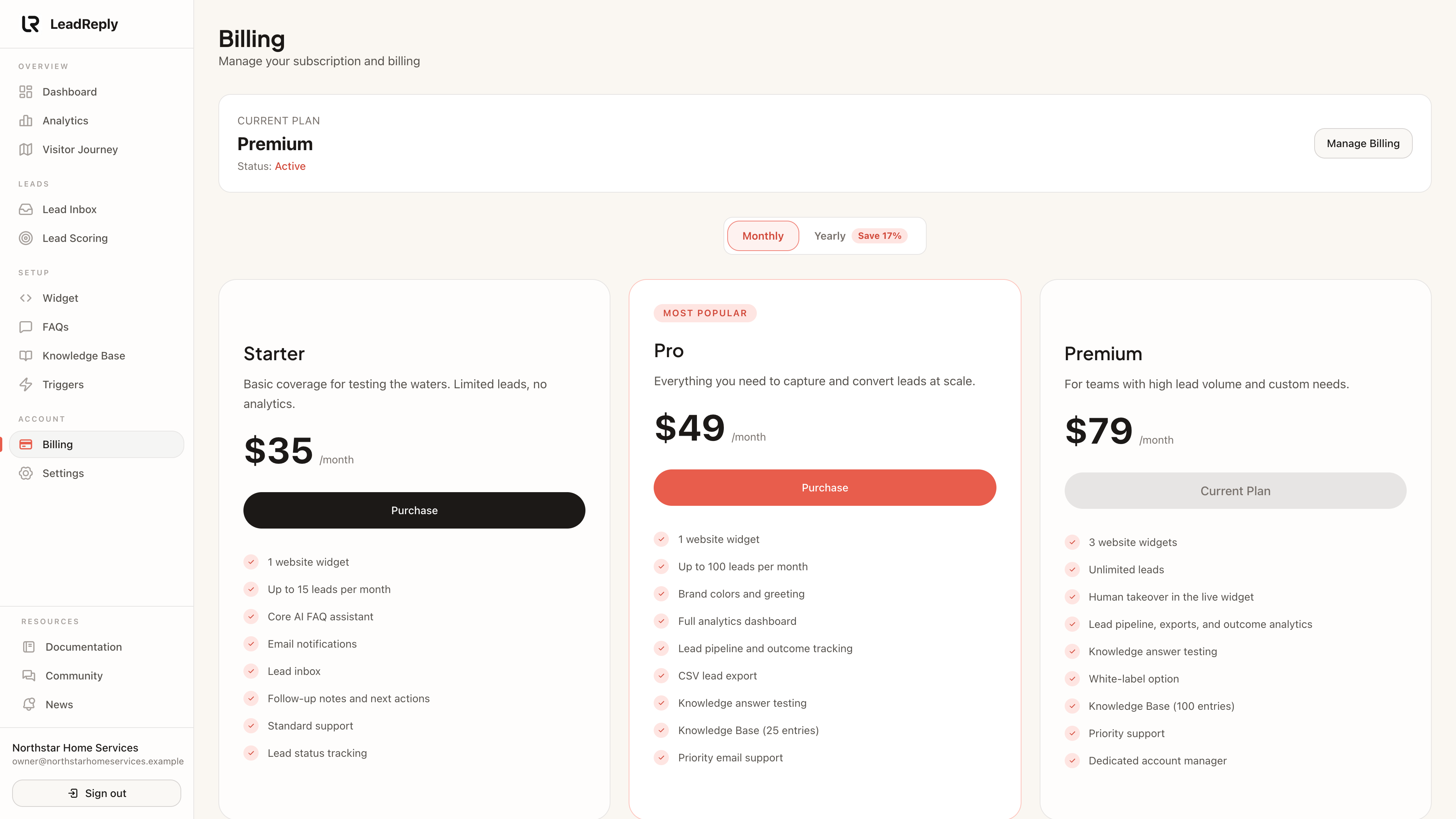
- Starter — one widget, up to 15 leads/month, about 1,000 AI replies/month, Knowledge Base (5 entries), lead inbox with lead scoring, email alerts, and a 7-day dashboard overview. Starts with a , cancel anytime.
- Pro — everything in Starter, plus up to 100 leads/month, about 3,000 AI replies/month, brand colors, fonts & avatar, full analytics, lead statuses with won-sale tracking, Knowledge Base (25 entries) and priority email support.
- Premium — everything in Pro, plus three widgets, unlimited leads, about 8,000 AI replies/month, Knowledge Base (100 entries), AI answers that use your products, services and policies, a white-label option and priority support.
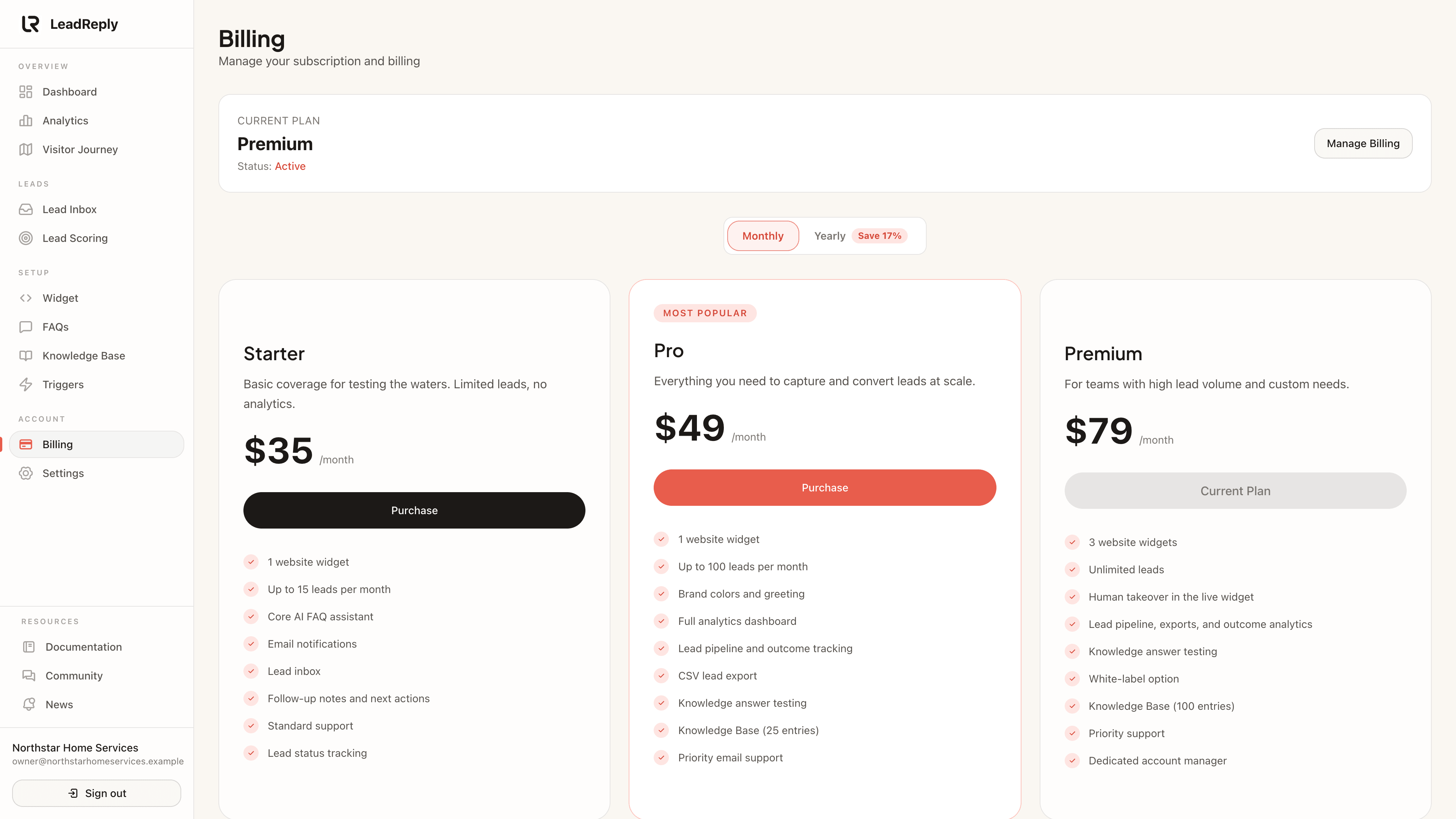
Monthly and yearly pricing (yearly is cheaper per month) are listed on our pricing page.
How the trial works
New accounts choose a plan right after confirming their email. Starter includes a 7-day trial: you add a card at checkout, and during the trial you can install the widget, chat with it, and capture real leads. If you cancel from Billing before the trial ends, you aren't charged. Pro and Premium bill from day one.
Note
Changing plans
Upgrade or downgrade from Dashboard Billing. For a paid subscription this opens the Stripe billing portal, which shows the price and when the change applies before you confirm. Your leads and settings are never deleted when you change plans — features simply match your current plan.
Note
Usage limits
Plans cap monthly leads captured (not visitors or conversations). If you hit your cap, the widget keeps answering questions but stops saving new leads until the start of the next calendar month — no surprise overage fees. Your dashboard warns you as you get close, and we send a usage email.
Each plan also has a monthly AI allowance of 2,000 AI requests on Starter, 6,000 on Pro and 16,000 on Premium. A reply uses one or two requests, so that is roughly 1,000, 3,000 or 8,000 replies. There is also a monthly AI spending ceiling per business, and a single conversation is limited to 60 visitor messages. These limits are there to stop abuse and are well above normal use. If one is reached, the widget tells the visitor chat is unavailable and shows your phone number if you added one. Your dashboard shows how much of the monthly AI allowance you have used.
Cancellations and data
You can cancel from Billing; access continues until the end of the period you paid for. Your dashboard stays accessible so you can review your leads, and you can email help@leadreply.xyz for a copy of your data. We don't hold data hostage — see our privacy policy for retention details.
Where to manage billing
All card and invoice management happens under Dashboard Billing, processed securely by Stripe. LeadReply support never needs your full card number — never share it with anyone claiming to be us.
Media
Previous
Order tracking
Count online store orders from shoppers who chatted first
Next
Account settings
Business profile, language and notifications
Questions & answers
Ask about this page — the LeadReply team and other readers can answer and upvote.
Log in to ask a question, reply, or upvote. Reading is open to everyone.
Loading discussion…