
Documentation/Lead scoring
Lead scoring
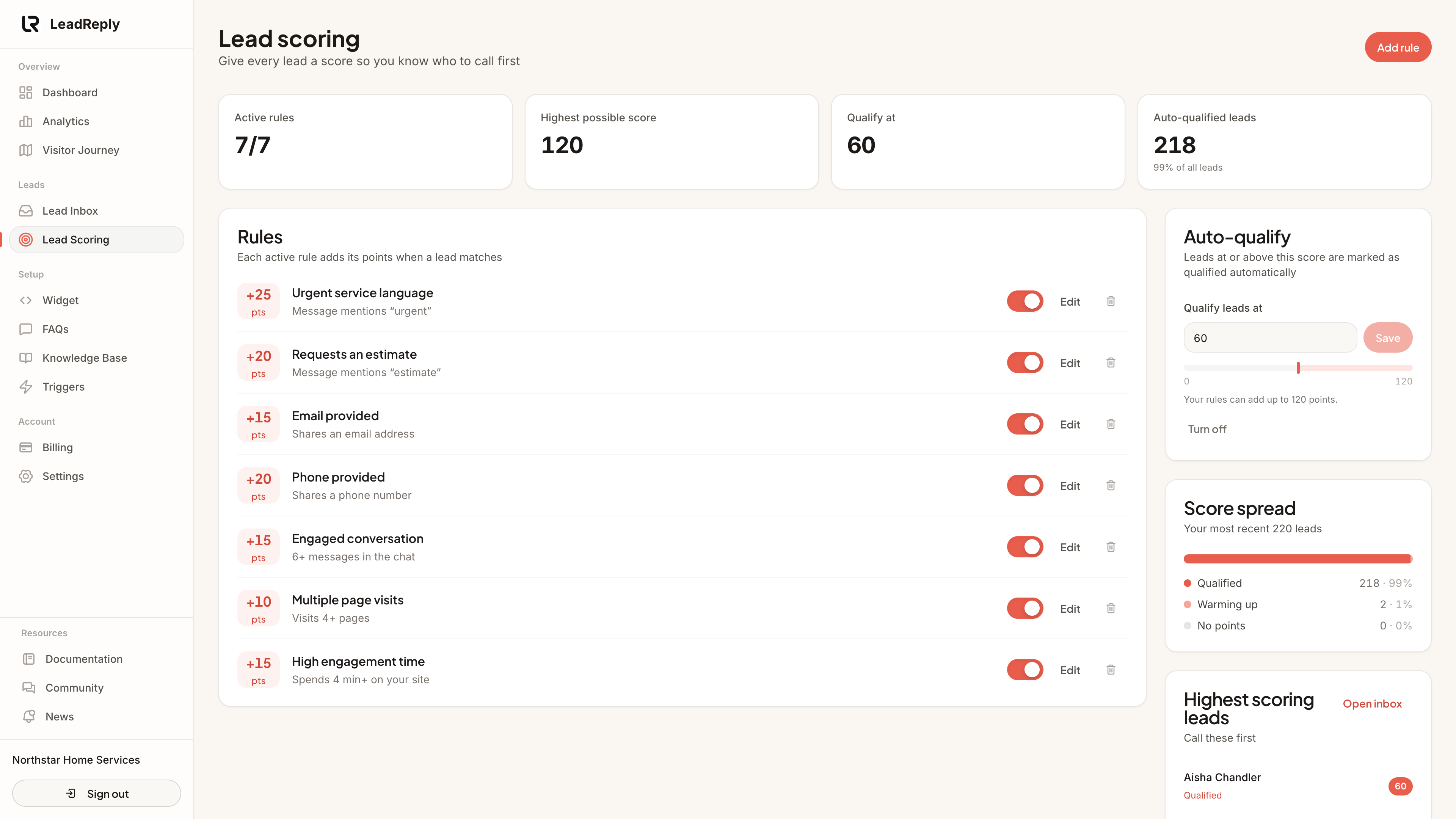
Not every lead is equally ready to buy. Scoring rules add points for the things that matter to your business, so you know who to call first.
How scores work
when a lead matches it. A lead's score is the total of every active rule it matches. Rules can look at:
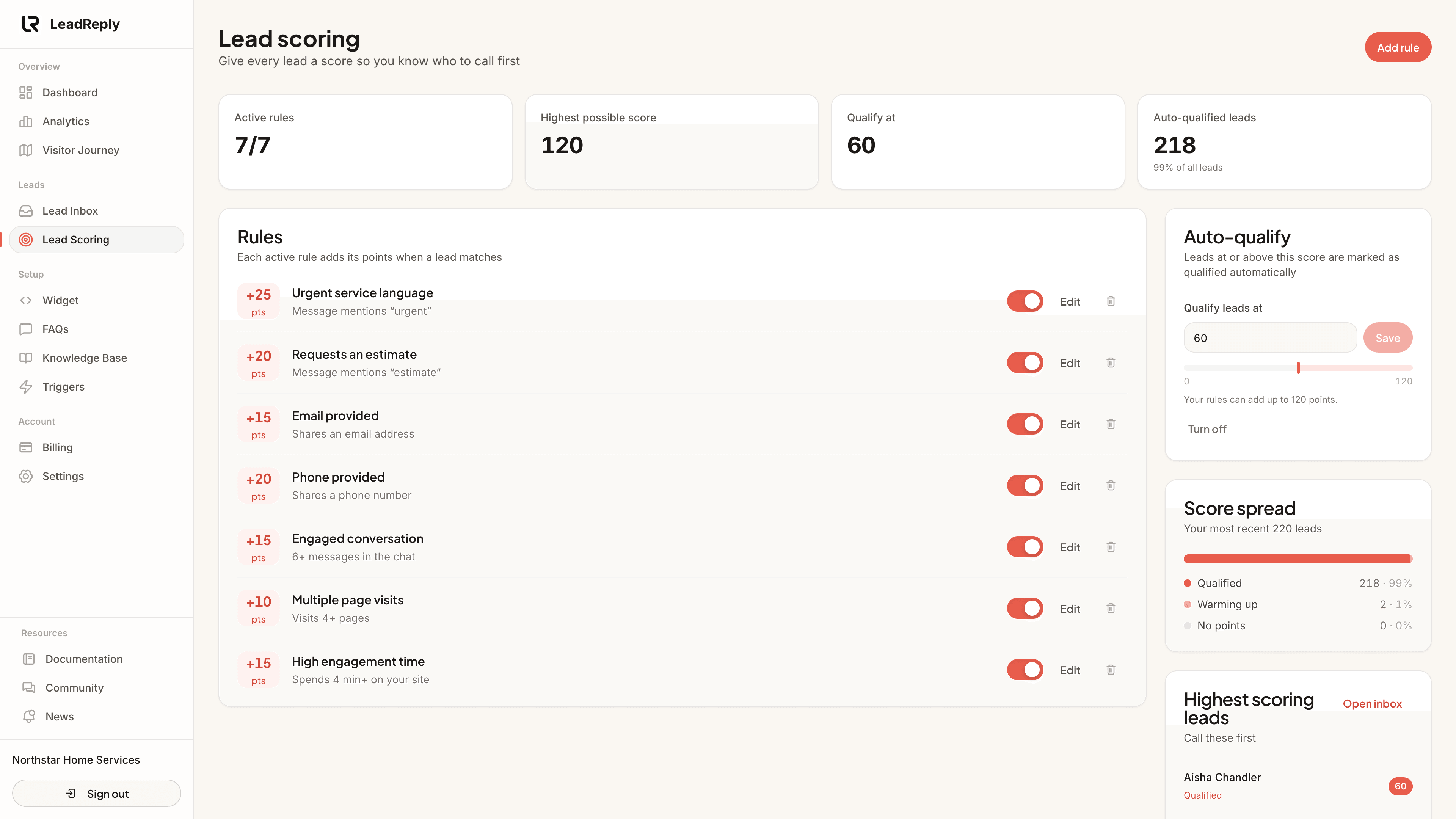
- A word in their message, such as “quote” or “urgent”. Matching ignores upper and lower case.
- Contact details: whether they left a phone number or an email.
- Conversation length: at least a set number of messages in the chat.
- Pages visited across all their visits.
- Time on your site across all their visits.
Points can be negative too. A rule worth −10 lowers the score, which is handy for signals that someone is just browsing.
Set it up
- Open Dashboard Lead Scoring.
- New account? Click Add recommended rules to start with a sensible set (phone number, email, “quote”, “urgent”, a real conversation and 3+ pages). Then adjust the points to suit your business.
- Use Add rule for anything specific to you, like the name of your most profitable service.
- Use the switch on a rule to pause it without deleting it, and Edit to change its points.
Note
Auto-qualify
In the Auto-qualify card, set the score at which a lead counts as qualified, for example 40. Leads at or above it are marked Qualified automatically, in the Lead Scoring list and in Visitor Journey. The bar under the field shows your threshold against the highest score your rules can add up to. If no lead could reach it, you'll see a warning. Click Turn off to stop auto-qualifying.
Using it day to day
- Highest scoring leads lists who to call first. Click a name to open them in the Lead Inbox.
- Score spread shows how your most recent leads split between qualified, warming up and no points. If almost everyone is qualified, raise the threshold; if nobody is, lower it.
Tip
Media
Previous
Lead Inbox
Review, qualify and follow up on captured leads
Next
Analytics
Sessions, engagement and conversion metrics explained
Questions & answers
Ask about this page — the LeadReply team and other readers can answer and upvote.
Log in to ask a question, reply, or upvote. Reading is open to everyone.
Loading discussion…