
Documentation/Lead Inbox
Lead Inbox
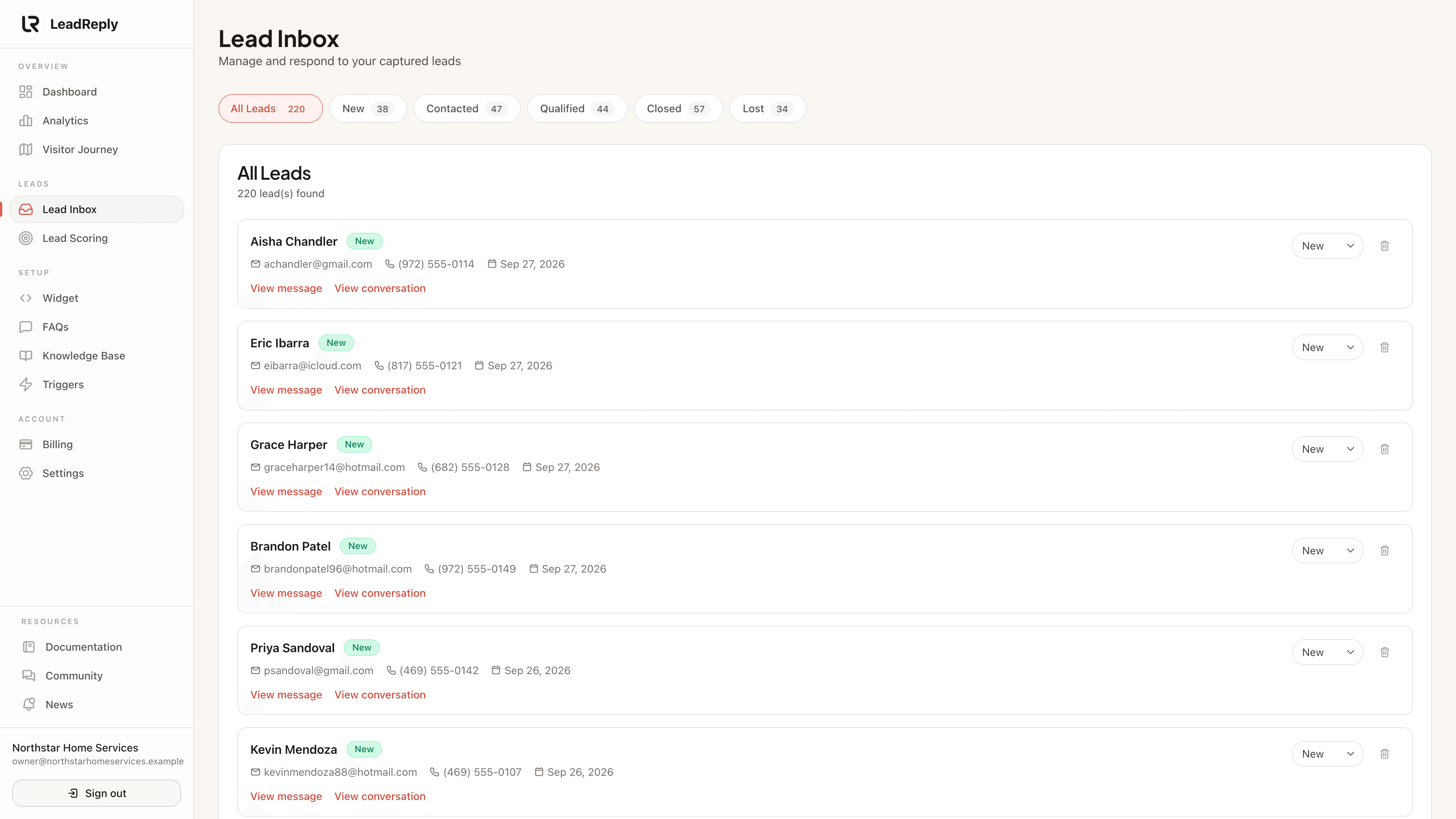
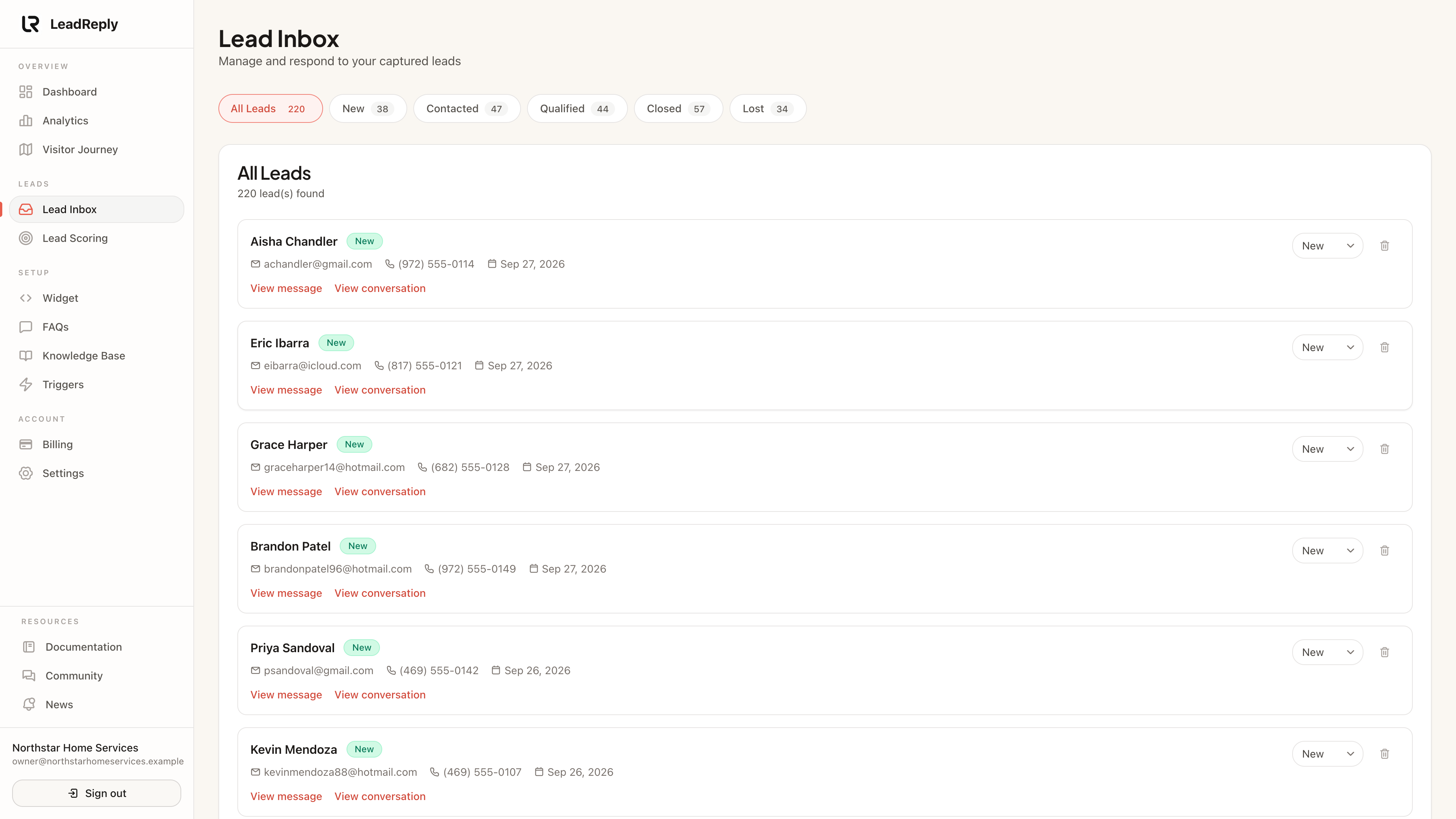
Every conversation that produces a contact lands here — with the full transcript, contact details, and tools to work the lead.
How a visit becomes a lead
A lead is created when a visitor shares their contact details in the chat (name plus email or phone). That usually happens when they ask about booking or pricing and the widget offers to have you follow up. You'll get an email notification the moment it happens.
Visitors who chat but don't leave details still appear as conversations in your analytics — they just don't become leads you can contact.
Working the inbox
Each lead shows:
- Contact details the visitor shared
- — what they asked, what they were told, so you never call blind
- Session context — which page they came from and when
- Status controls to move leads through your pipeline
Tip
Lead statuses
Move each lead through stages like new contacted qualified won/lost. Statuses keep the inbox organized as volume grows and feed the summary numbers on your Analytics page.
AI priority: who to follow up with first
Choose AI priority under Sort leads to bring the conversations that need your attention to the top. AI considers buying or booking intent, specific needs, urgency, complaints, and requests for human contact. For example, a visitor ready to book today can appear ahead of someone casually asking about opening hours.
Leads display an AI priority of top, high, normal, or low. If analysis is missing or uncertain, the lead is unassessed and appears after high priorities but before normal and low ones. Closed and lost leads appear last; equal priorities are ordered newest first. You can also choose Newest first or Oldest first and use any status filter.
AI priority updates when new visitor messages or form submissions are analyzed. Sorting uses the saved assessment, so changing the sort does not trigger another AI request. Older leads without an assessment stay unassessed until analyzed. The labels help you choose where to start; your team still decides how to follow up.
Your lead scoring rules
When volume grows past a handful per week, use Lead scoring to see at a glance which leads are hottest before deciding who to call first.
Media
Previous
Knowledge Base
Give the AI deeper context and fill the gaps it can’t answer
Next
Lead scoring
Score leads with your own rules and auto-qualify the best
Questions & answers
Ask about this page — the LeadReply team and other readers can answer and upvote.
Log in to ask a question, reply, or upvote. Reading is open to everyone.
Loading discussion…