
Documentation/FAQs
FAQs
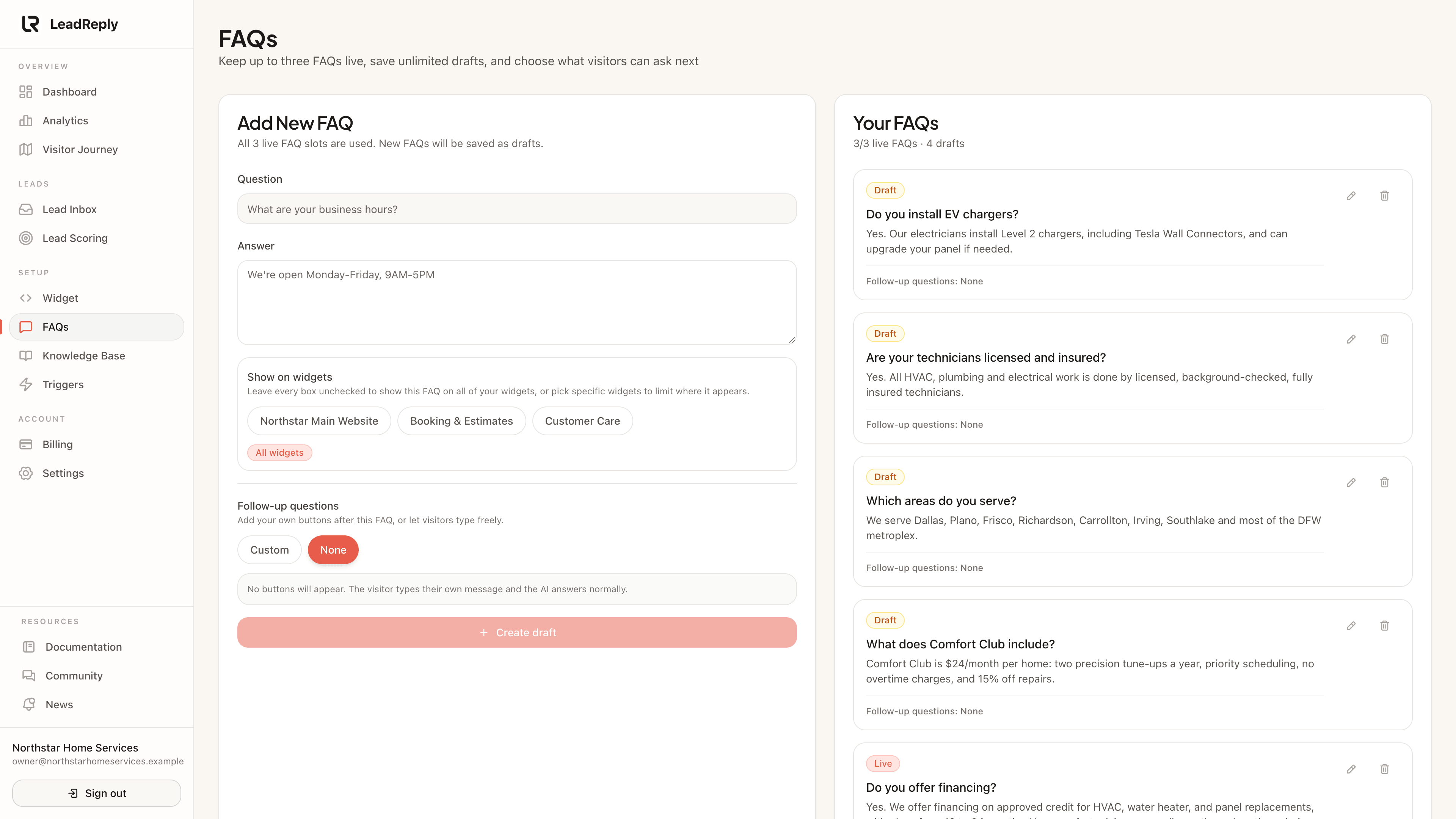
FAQs are the fastest way to control what visitors hear. They appear as tappable buttons in the chat and power the AI’s answers.
What FAQs do
Each FAQ is a question plus the exact answer you want given. They work double-duty:
- As suggestion buttons inside the chat, so a visitor can tap “How much does it cost?” instead of typing.
- As source material when someone types their own question — the AI matches it against your FAQs first.
Managing your FAQs
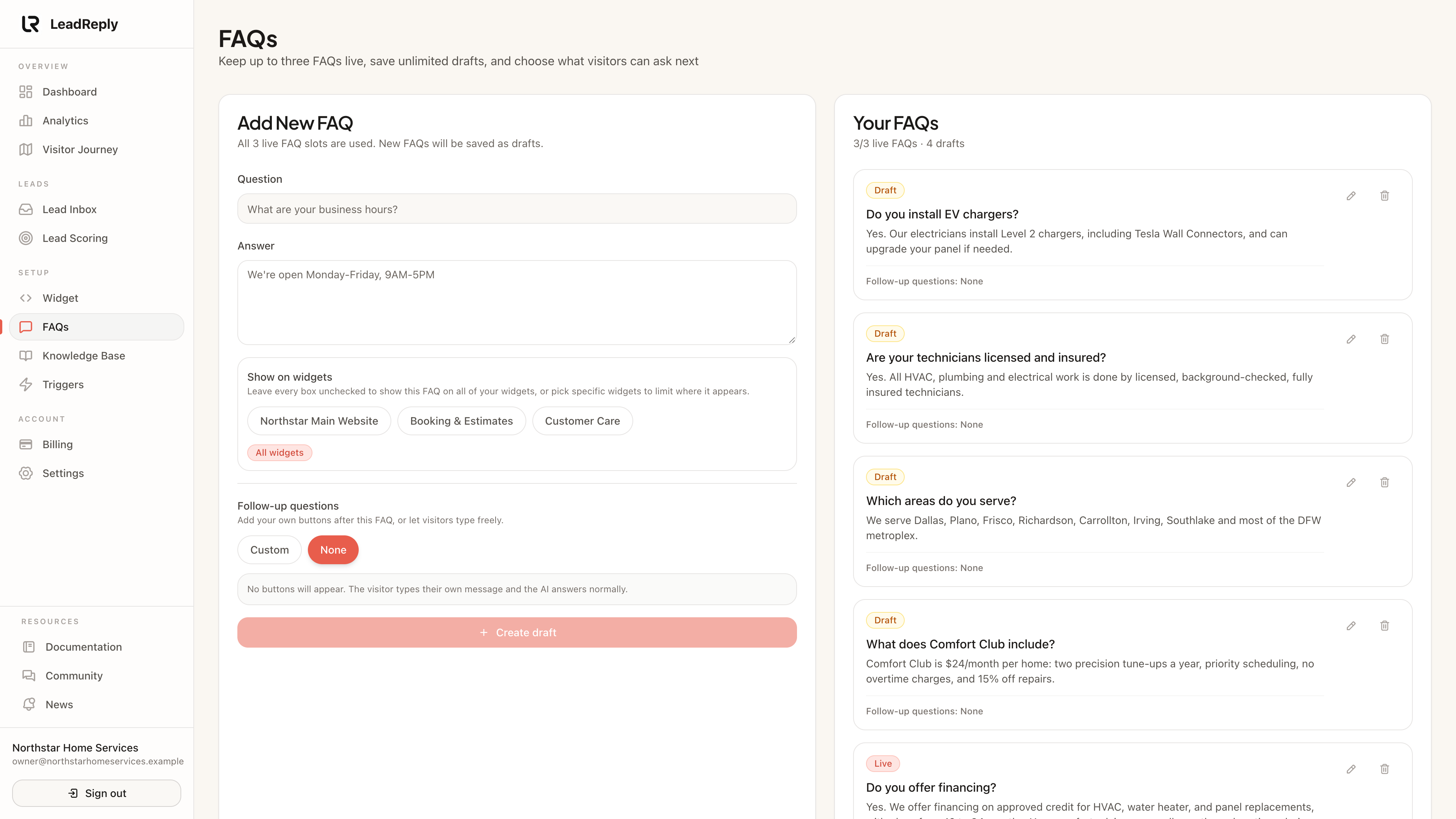
Open Dashboard FAQs. From there you can:
- Publish up to three live FAQs that show as chat suggestions.
- Save unlimited drafts — write now, publish later.
- — changes go live on the visitor's next page load.
- Get AI suggestions based on your business info, if you want a starting point.
Tip
Writing answers that convert
- Answer, then invite. End with a small next step: “Most jobs are quoted within a day — want us to call you?”
- Be specific about ranges. “Cleanings start at $80” beats “it depends”. If you truly can't give a number, say what it depends on.
- Match your voice. If you say “folks” in person, say “folks” here. Visitors notice.
FAQs vs Knowledge Base
Use an FAQ when visitors should see the question as a button and you want tight control of the wording. Use the Knowledge Base for background detail that informs many different answers but isn't itself a single question.
Media
Previous
How the AI answers
Where answers come from: FAQs, Knowledge Base and guardrails
Next
Knowledge Base
Give the AI deeper context and fill the gaps it can’t answer
Questions & answers
Ask about this page — the LeadReply team and other readers can answer and upvote.
Log in to ask a question, reply, or upvote. Reading is open to everyone.
Loading discussion…