
Documentation/Knowledge Base
Knowledge Base
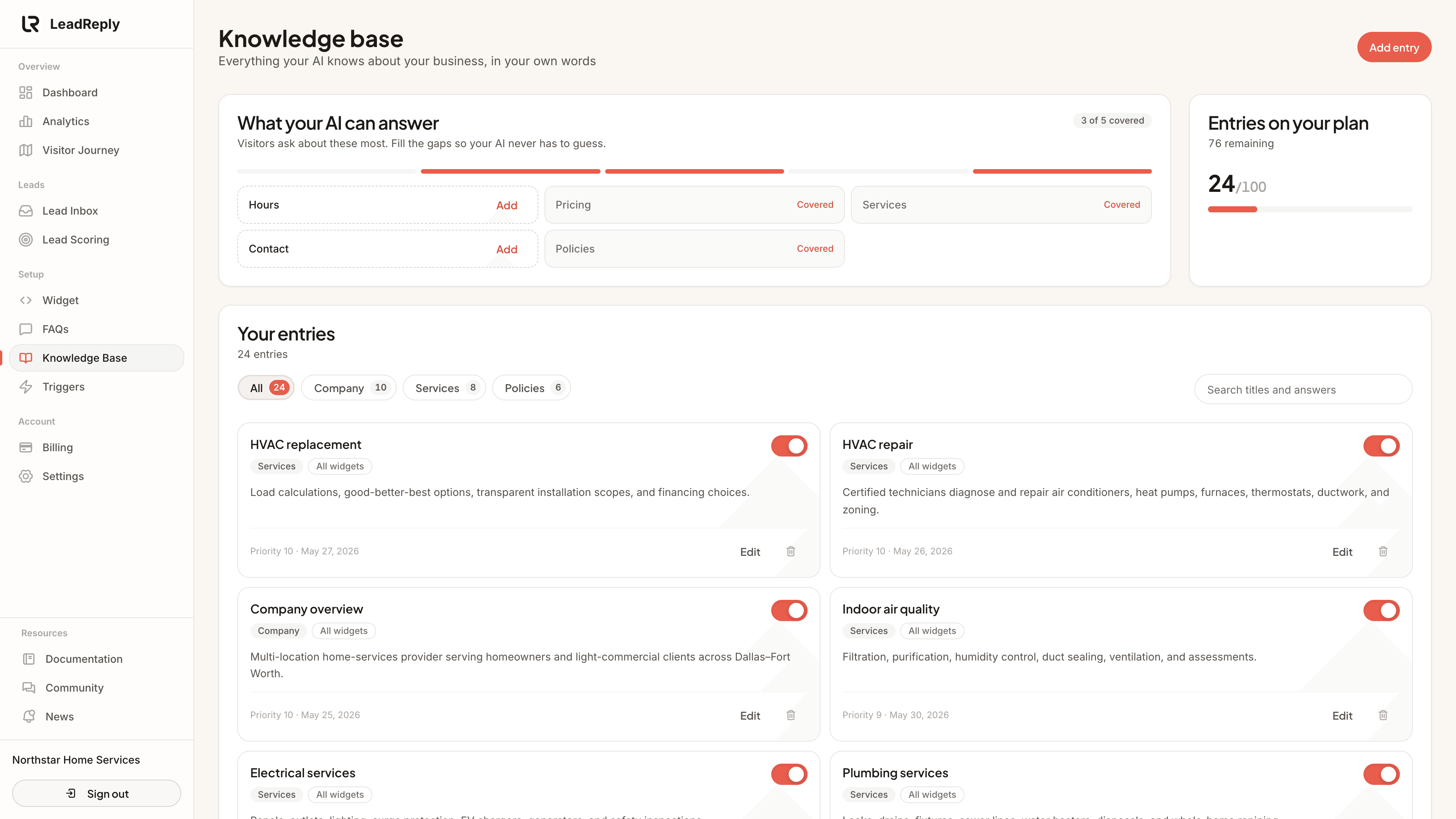
The Knowledge Base is where the details live: service descriptions, policies, materials you use, warranty terms — anything the AI should know but visitors don’t ask as a single question.
What belongs in it
Think of entries as on their first day. Good candidates:
- Detailed descriptions of each service or product line
- Policies: cancellations, warranties, guarantees, payment methods
- Processes: what happens after first contact, how long jobs take, preparation needed
- Service area nuances, parking, accessibility, languages spoken
What doesn't belong: anything secret (internal pricing floors, supplier names), anything temporary (this week's promo — use an FAQ for that), and copy-pasted walls of text from brochures. Short, factual entries work best.
How entries are used
Entries aren't shown verbatim like FAQs — they're background knowledge. When a visitor's question touches a topic, relevant entries inform how the AI answers, alongside your FAQs and business context.
If you run multiple widgets, each entry can be scoped to all widgets or just specific ones — handy when two sites serve different parts of your business.
Note
Fill the gaps
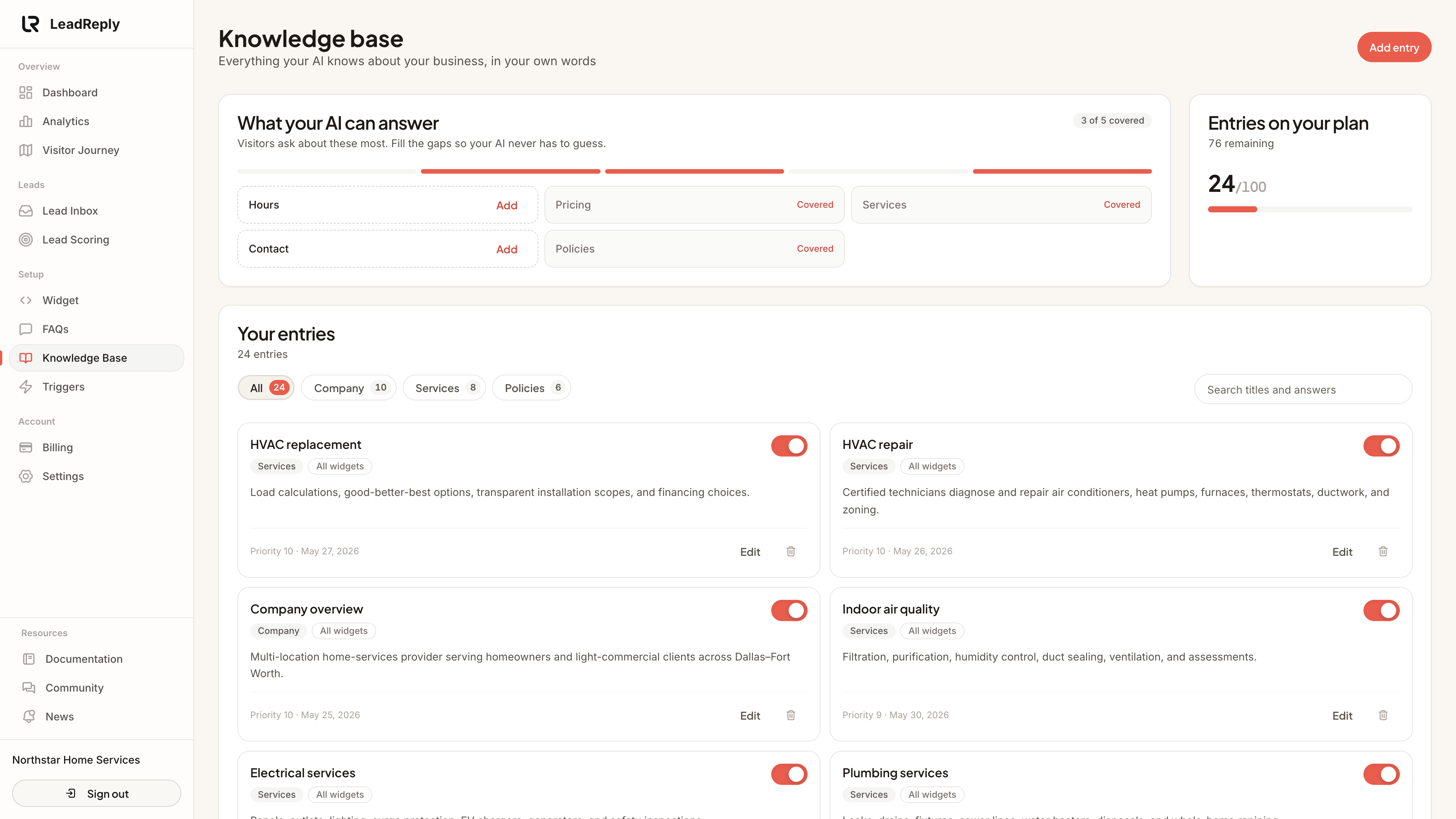
The What your AI can answer card checks five topics visitors ask about most: hours, prices, services, contact and policies. A topic counts as covered when an active entry has that category or a title about it. For anything missing, click Add to open a new entry with a starter text. Replace the “…” parts with your real details before saving.
Find and manage entries
- Search looks through titles and answers.
- Category filters show how many entries each category has.
- The switch on an entry turns it off. The AI ignores entries that are off, but you keep the text, which is handy for seasonal information.
- Priority (0–10) decides which entries are used first when several fit.
Writing a good entry
- One topic per entry. “Cancellation policy” is an entry; your entire operations manual is not.
- Title it the way customers would ask. “Do you offer emergency callouts?” beats “Emergency protocol”.
- Facts over adjectives. Numbers, timeframes, and yes/no rules beat marketing prose.
Keeping it fresh
Set a reminder to reread your Knowledge Base monthly. Stale information is worse than no information — an AI confidently citing last year's hours creates unhappy phone calls. When something changes in your business, change it here the same day, or switch the entry off until it is accurate again.
Media
Previous
FAQs
Write answers visitors see as one-tap suggestions
Next
Lead Inbox
Review, qualify and follow up on captured leads
Questions & answers
Ask about this page — the LeadReply team and other readers can answer and upvote.
Log in to ask a question, reply, or upvote. Reading is open to everyone.
Loading discussion…