
Documentation/Visitor Journey
Visitor Journey
While Analytics shows the big picture, Visitor Journey shows individual visits: where someone landed, how long they stayed, whether they chatted, and which channel sent them.
The big picture
Pick a period at the top right (24 hours, 7, 30 or 90 days). Under the totals, summarise the period:
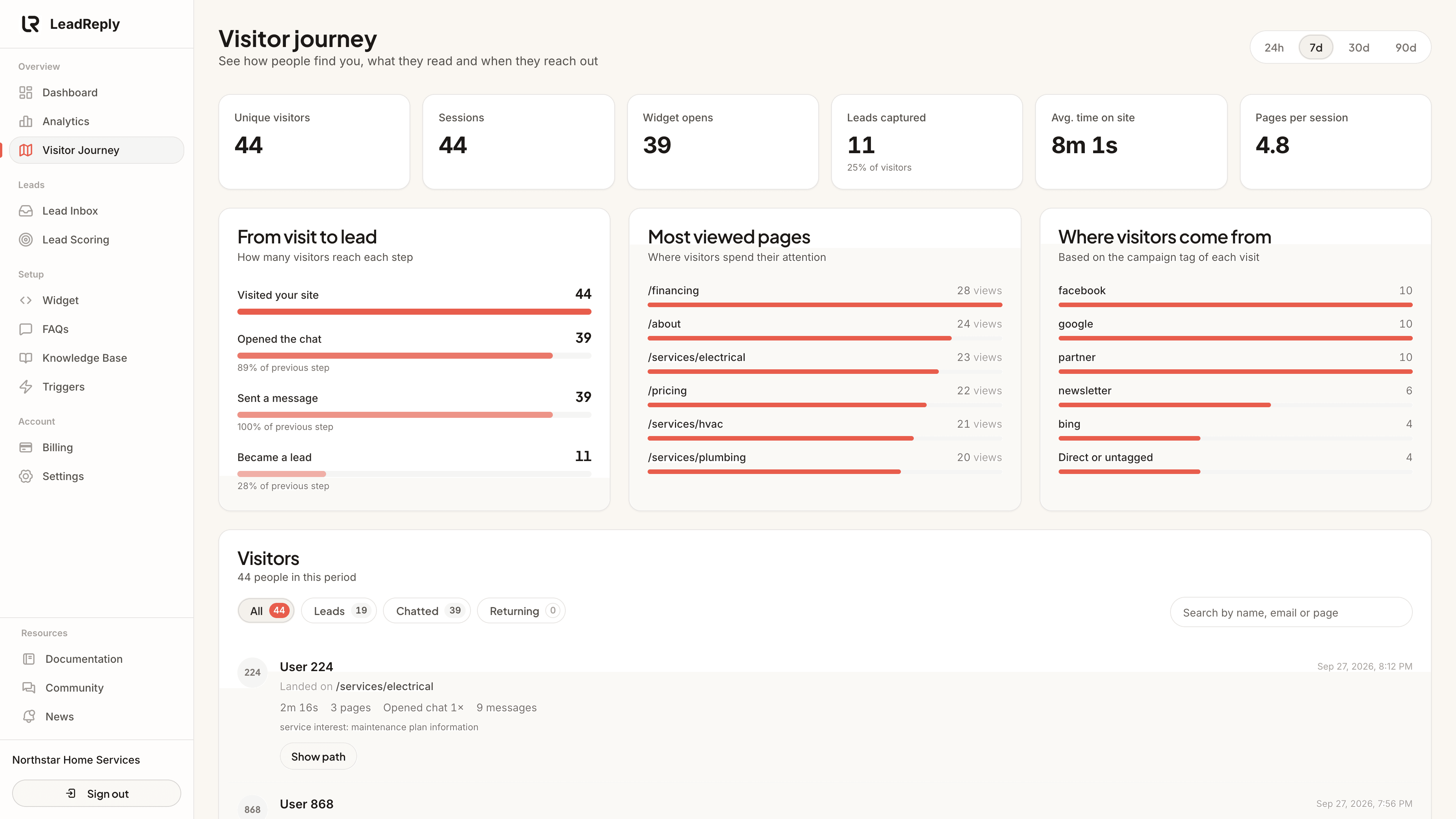
- From visit to lead: how many visitors opened the chat, sent a message and became a lead, with the share that made it from each step to the next.
- Most viewed pages: the pages that got the most views.
- Where visitors come from: visits per source, with untagged visits grouped as “Direct or untagged”.
Reading the visitor list
Each row is one person, with all their visits in the period added together. Next to their name or number you may see:
- Lead / Qualified lead: they left contact details. Qualified means their score reached your auto-qualify threshold.
- A visit count, such as “3 visits”, for returning visitors.
- Traffic source, such as
instagram,googleor your own tag such asnewsletter. It is read from the link's?utm_source=…tag, the app they browsed in, the site that sent them or an ad click ID. See Lead sources.
Below that: the page they landed on, total time on site, pages viewed, how often they opened the chat and how many messages they sent.
- Filters narrow the list to Leads, Chatted or Returning visitors. Each shows how many people it contains.
- Search finds a visitor by name, email, phone, landing page or source.
- Show path lists every page they visited, in order, with the time of each visit.
- Open in inbox jumps to that lead in the Lead Inbox.
How the source tag gets there
- You share links with a UTM tag, e.g. your Instagram bio links to
yoursite.com/?utm_source=instagram&utm_medium=social - A visitor clicks that link and lands on your site.
- The widget records the tag with their session — from the first page they land on.
- The source shows on that visitor here. Untagged visits from Instagram, Google and other sites are still detected; tags make it more reliable and let you name campaigns.
Tip
?utm_source=qr-flyer), Google Business Profile. After a few weeks, Visitor Journey shows which channels send visitors who actually open the chat.Privacy
Sessions are stored against an anonymous visitor ID — not a name — unless the visitor chooses to share contact details in the chat. You see behavior, and only then identity, for people who explicitly gave it.
Related pages: Analytics for aggregate numbers, Lead Inbox for captured contacts.
Media
Previous
Lead sources
How LeadReply knows a lead came from Instagram, Google or an ad
Next
Order tracking
Count online store orders from shoppers who chatted first
Questions & answers
Ask about this page — the LeadReply team and other readers can answer and upvote.
Log in to ask a question, reply, or upvote. Reading is open to everyone.
Loading discussion…