
Documentation/Continued conversations
Continued conversations
When someone comes back to your site, they can continue their earlier chat instead of repeating themselves.
What this feature does
Real buyers rarely finish a decision in one visit. Someone might ask about your pricing on Tuesday, think about it over dinner, and come back on Wednesday ready to book. Without memory, a chat widget treats Wednesday like a stranger — your visitor has to explain everything again, and the context that made them interested is gone.
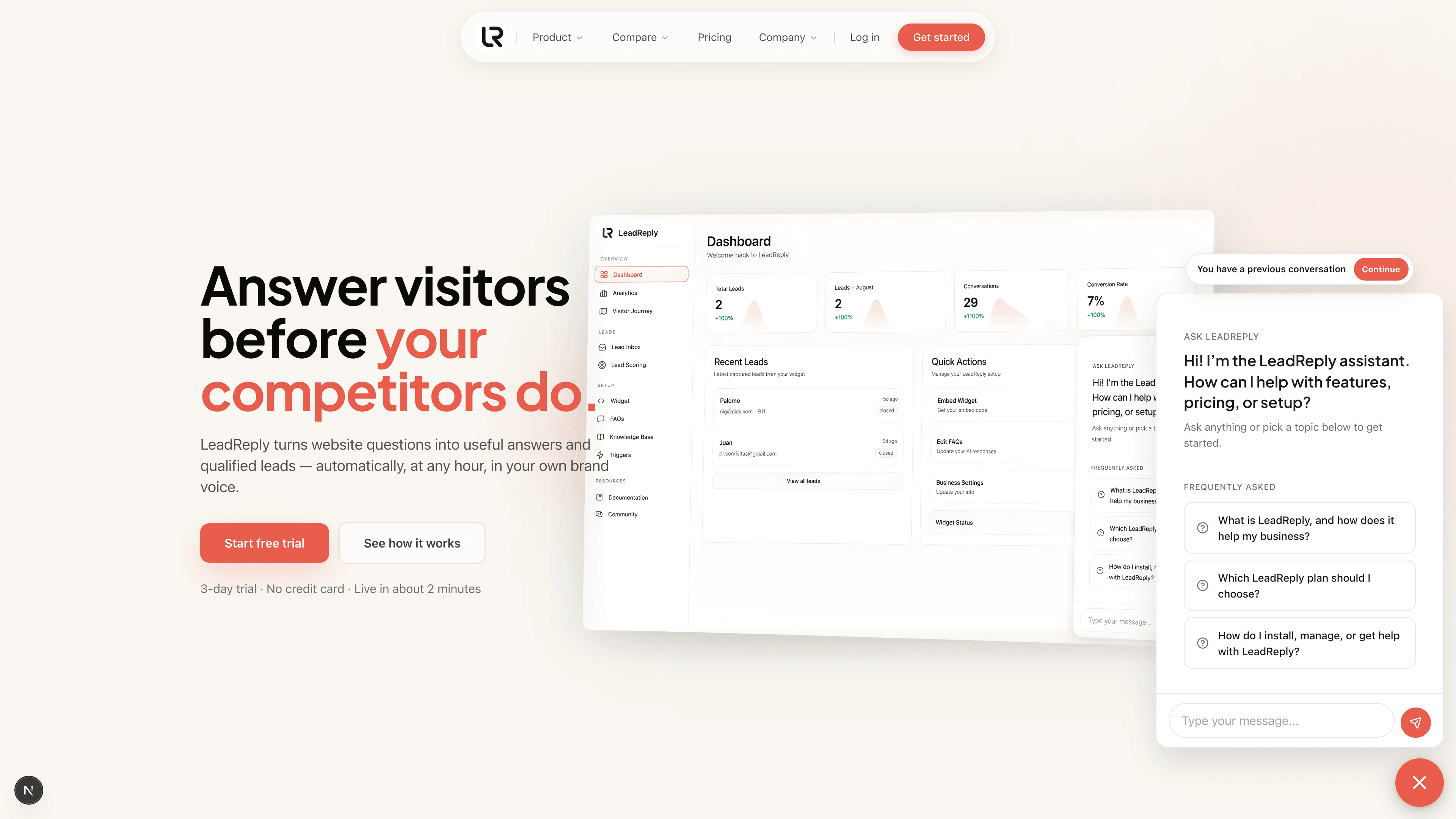
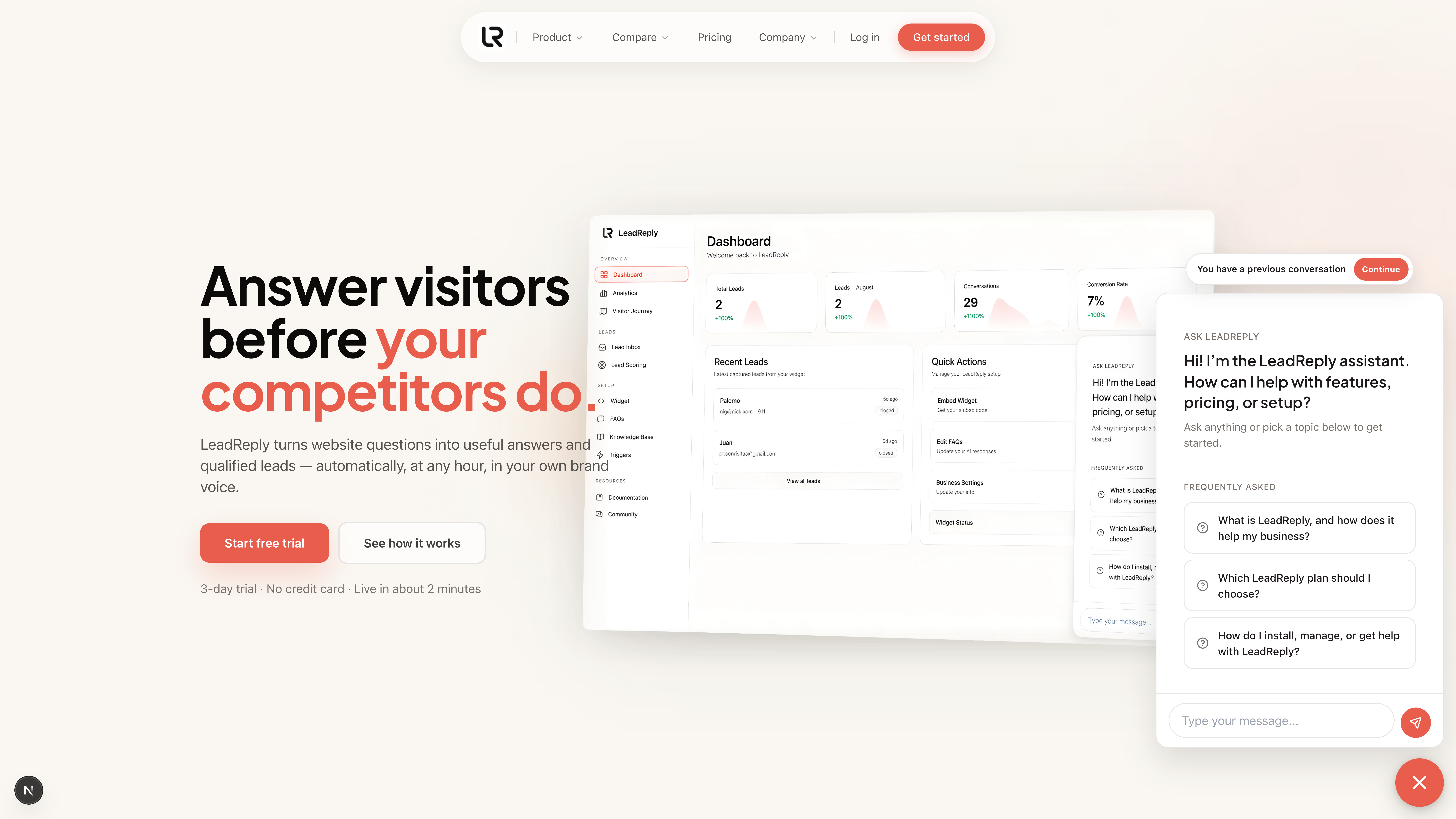
LeadReply fixes this. When a returning visitor opens the chat, they see a small pill at the top of the welcome screen that says “You have a previous conversation” with a Continue button in your brand color. One tap brings their whole earlier conversation back, exactly where it ended — and the AI remembers all of it.
What the visitor sees
- They open the chat like normal. Before typing anything, the compact sits just above the greeting.
- Tapping Continue restores the transcript. Their earlier questions and the AI's answers reappear instantly, and they can keep chatting from there.
- Or they can ignore it. Typing a new message starts a brand-new conversation instead — useful when they're asking about something unrelated. The pill quietly disappears once they do.
Tip
How long a conversation stays resumable
- 30 days. A visitor can resume their previous conversation for a month after their last message. After that, the pill no longer appears and a fresh chat begins.
- Per browser and device. The resume link lives in the visitor's own browser storage. If they switch from laptop to phone (or clear their browsing data), the old conversation won't follow them — they'll simply start fresh.
- Per widget. If you run more than one widget (see Multiple widgets), each one tracks its own conversations separately.
What this means for you
- One thread, not five fragments. A visitor who chats across several visits builds a single continuous transcript, instead of leaving you five disconnected half-conversations to piece together.
- Better answers without repetition. Because the AI sees the earlier messages, follow-up visits get straight to the point — closer to booking, fewer pleasantries.
- Full context in your inbox. When that visitor becomes a lead, you see the entire story: every visit, every question, in order.
Note
Nothing for you to configure
Continued conversations are automatic — there's no setting to flip and no code to change. Install the widget once and returning visitors get the Continue button whenever they have something to return to.
Related reading: Triggers & proactive chat shows how to greet returning visitors proactively, and Visitor Journey lets you watch a single person's chats across visits.
Media
Previous
Triggers & proactive chat
Proactive messages, templates and open rates
Next
How the AI answers
Where answers come from: FAQs, Knowledge Base and guardrails
Questions & answers
Ask about this page — the LeadReply team and other readers can answer and upvote.
Log in to ask a question, reply, or upvote. Reading is open to everyone.
Loading discussion…